Structure image prompts
Image prompts become editable fields for type, template, subject, style, color, composition, lighting, and negative rules before the final prompt is regenerated.
Prompt optimization tool
Klipvo turns short creative ideas into structured prompts for image and video generation, so you can refine the plan before spending credits.
Image prompts become editable fields for type, template, subject, style, color, composition, lighting, and negative rules before the final prompt is regenerated.
Video prompts become a compact motion plan with subject, style, camera, avoid rules, and a timeline matched to the duration you selected.
Change the structure summary, regenerate the final prompt, then send only the final prompt into the selected model.
Start with a rough idea in English.
Use Optimize to create a structure summary.
Edit the fields that do not match your intent.
Regenerate the final prompt and create the image or video.
Before and after
The optimizer first creates an editable structure, then turns that structure into a final prompt you can use for generation.
Create an infographic explaining how to choose an AI video generator
Create a clean mobile-first vertical infographic titled "How to Choose an AI Video Generator". Use a structured decision-guide layout with five clear sections: output quality, motion control, generation speed, cost, and commercial rights. Use a white background, Klipvo purple accents, soft blue highlights, crisp typography, simple icons, generous spacing, and a professional SaaS editorial style. Avoid cluttered layout, tiny unreadable text, fake UI screenshots, and overly decorative visuals.
A 6-second 16:9 whimsical video of a fluffy kitten sneaking onto a kitchen counter and stealing a cooked fish from a white plate. Start with the kitten peeking over the counter, then slowly reaching toward the fish, ending with a playful close-up as it grabs the fish. Use soft indoor window light, warm pastel colors, gentle camera movement, and a cozy kitchen background.
Image prompt examples
These information graphics were generated from prompt optimizer style inputs: clear title, layout, sections, visual style, and avoid rules.
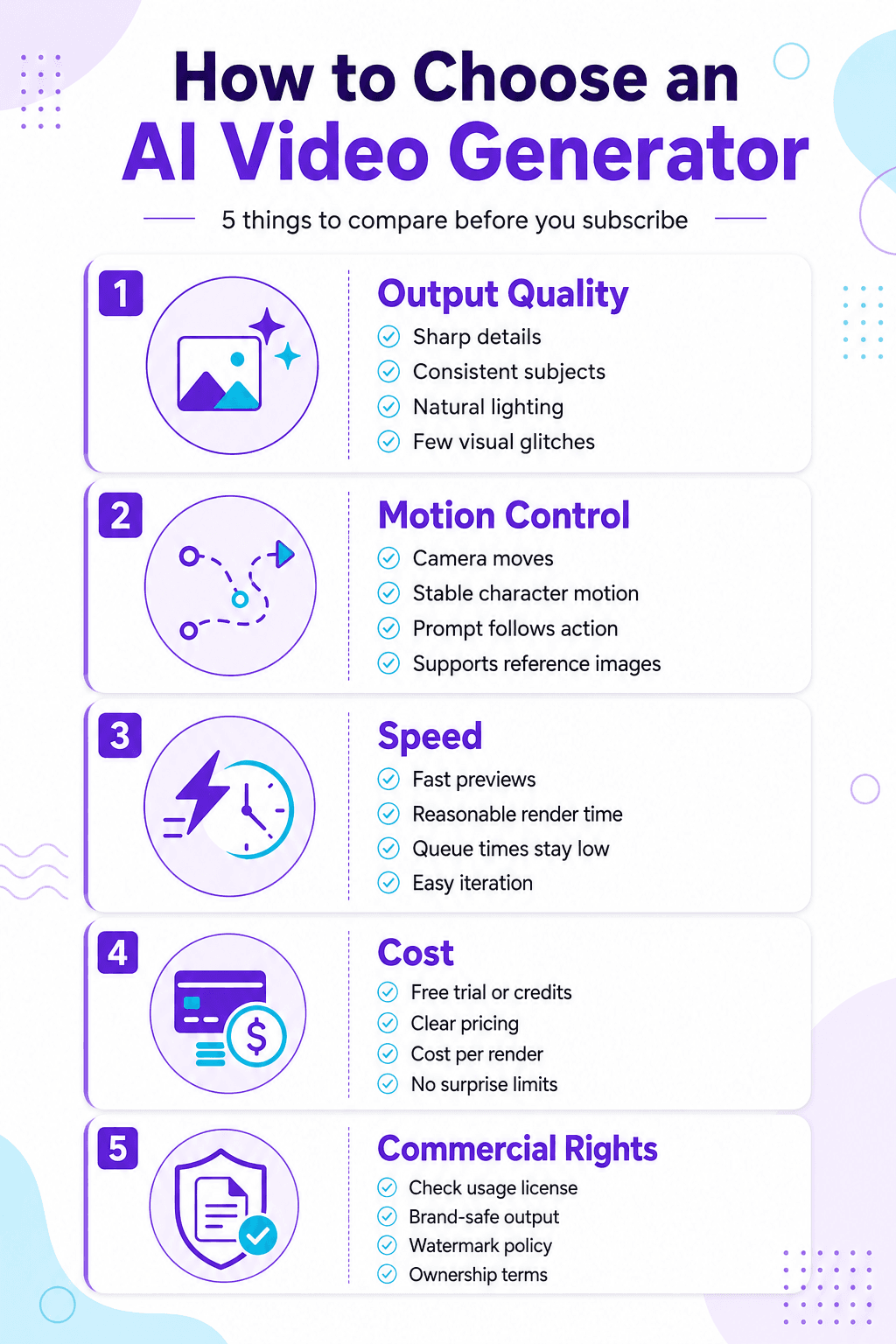
A structured infographic for comparing video generator choices.
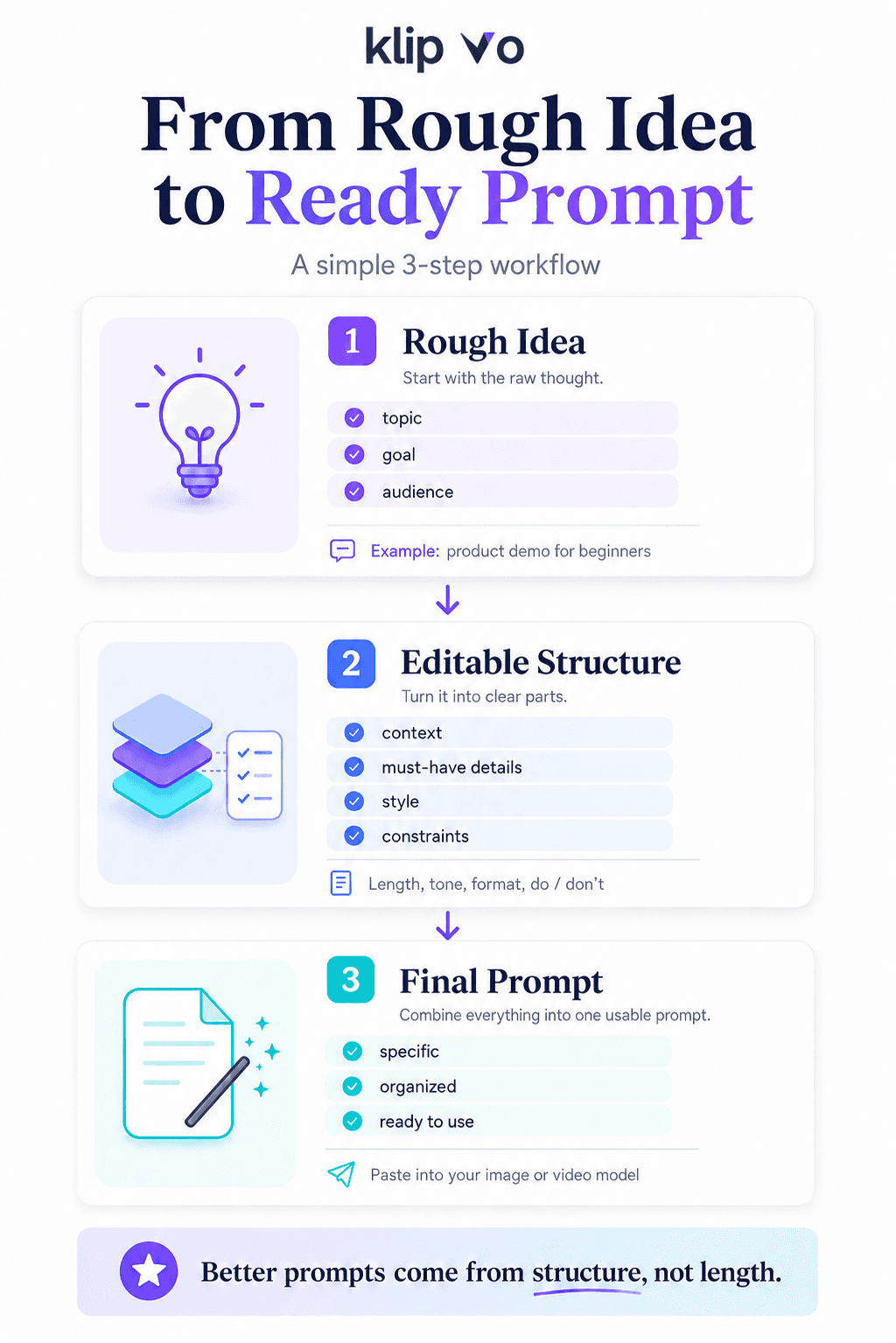
A three-step prompt optimizer infographic.
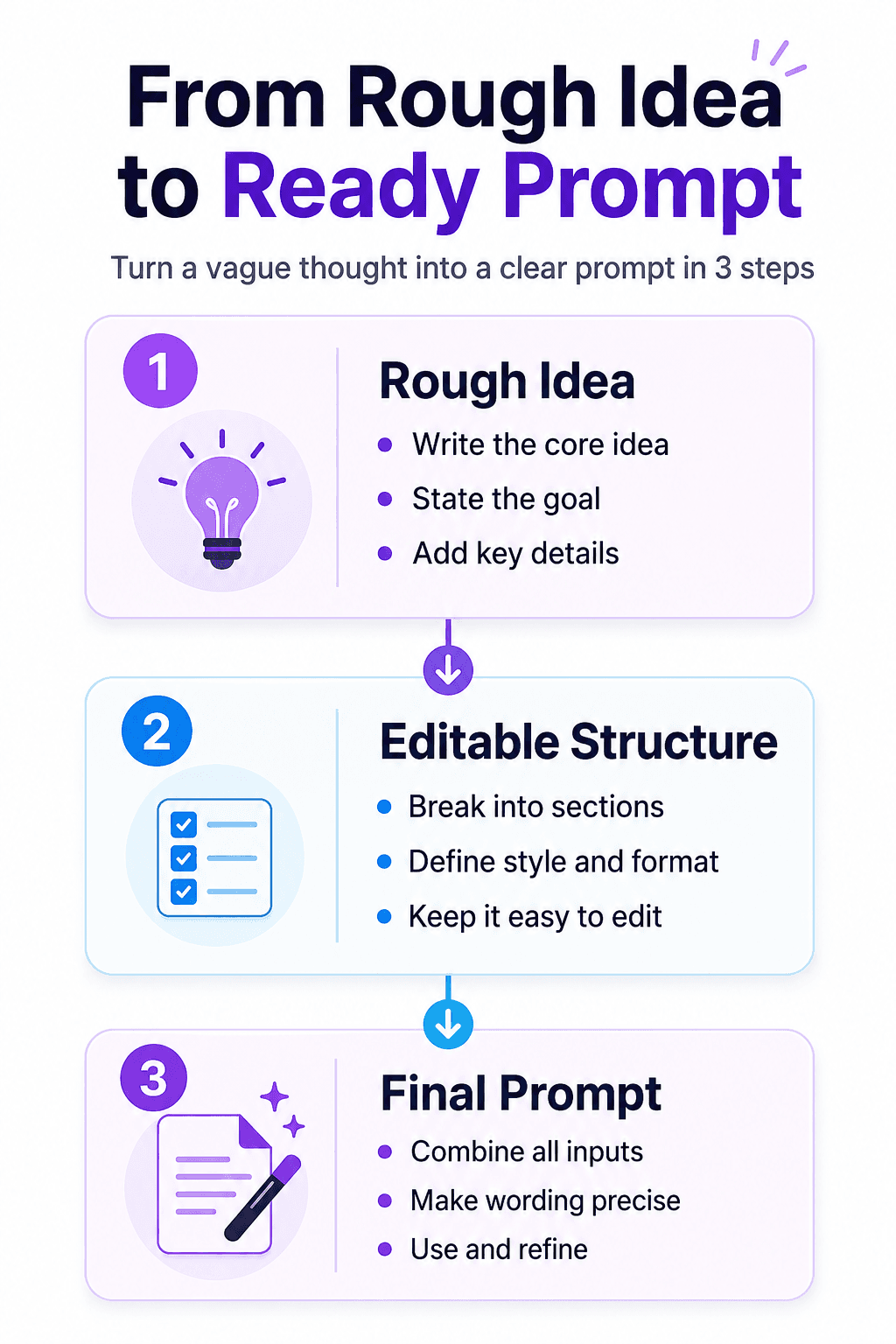
A compact visual workflow for turning ideas into prompts.
Compare model pages, pricing, and supported inputs before you generate.

OpenAI GPT Image
Versatile image generation and editing
From 30 credits

Google Nano Banana
Multi-resolution image generation up to 4K
From 20 credits

Google Veo
High-quality video with realistic motion, up to 1080p, 8s
From 60 credits
OpenAI Sora
Cinematic video generation, up to 720p, 12s
From 80 credits
Canonical page: /en/tools/ai-prompt-optimizer